
← all questions · Power-User Tips
How can I organize my Spark Catcher for better idea tracking?
Your Spark Catcher is your space for boundless creativity, brainstorming, and idea polishing—but organizing it makes it even more powerful. Here’s how to structure your Sparks effectively…
It’s easy to organize your Sparks!
Use the Type field to categorize each Spark
Instead of creating a lot of Spark Buckets, assign a Spark Type (dropdown field) to each idea you capture. This keeps everything flexible. Spark Type options:
🎨 Brand Building – Ideas for your personal brand, messaging, and identity. 💡 Content Ideas – Blog posts, videos, social media hooks, etc. 📈 Growth Opportunities – Business or personal development strategies. 📣 Marketing & Outreach – Campaigns, community-building ideas, collaborations. 🛠️ Products & Services – New offers, digital products, service ideas. 💰 Revenue Streams – Monetization strategies, potential income sources. ⚙️ Systems & Tools – Automations, processes, and tools to improve efficiency.
Create custom Spark Buckets
If you want additional structure, create buckets for broader themes.
Suggested Spark Buckets: 🔥 Big Vision Ideas – Moonshot ideas & future projects. ⚡ Quick Wins – Small, high-impact ideas to execute fast. 📝 Templates & Brainstorming Prompts – Pre-made structures to refine ideas faster. 🔍 Research & Notes – Sparks that require deeper exploration before taking action.
Use freeform tags for extra organization
If you need a flexible way to tag Sparks, add relevant keywords to the Tags field.
How to level up your Spark catching game
Use Ask Ember🔥 to refine and expand upon your ideas
Ask Ember🔥 will generate ideas to elevate your concept and suggest actionable next steps. How to use it:
- Add as many details as possible to the description field of your Spark.
- Click “Update” in the Ask Ember field to get AI-powered insights.
- Copy any valuable suggestions into the description field for reference.
📌 Note: Ask Ember🔥 requires Notion’s paid AI add-on. Notion currently offers a free trial of their AI features (without a credit card at the time of this writing), so you can try them before deciding to upgrade.
U****se the open space at the bottom of a Spark for freeform writing
Paste notes, research, or brainstorming ideas that don’t fit in the description field.
Use full-page mode for deep focus
When you’re fleshing out an idea or content, open a Spark and click the full page icon in the top-left corner to clear your slate, set a timer for 55-minutes (one Questy), and goooo!
Ignite Sparks that are ready for action—and Vanquish fizzled-out Sparks
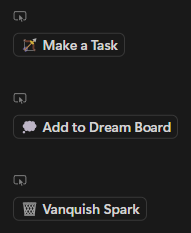
⌚ If a Spark is time-sensitive → Click Make a Task to move it into My Forge.
🌟 If you want to pursue a Spark as a long-term dream → Click Add to Dream Board to save it for a future 55-day quest.
🗑️ If a Spark has fizzled-out → Click Vanquish Spark to archive it and keep Spark Catcher tidy.
🦄 Hot tip: Not every Spark needs immediate action. Some ideas need time to marinate. Review your Spark Catcher weekly to refine and prioritize what truly excites you.
$97 one-time · 120-day guarantee